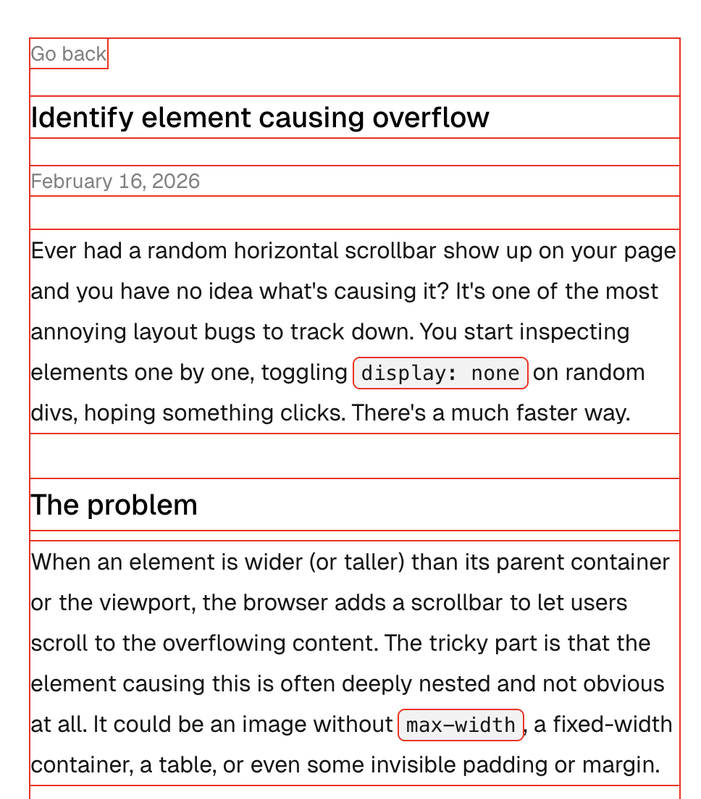
Random horizontal scrollbar on your page and no idea what's causing it?
You start inspecting elements one by one, toggling
display: none on random divs, hoping something clicks.
There's a faster way.
When an element is wider than its parent or the viewport, the browser adds
a scrollbar. The tricky part is that the element causing this is often
deeply nested. Could be an image without max-width, a
fixed-width container, a table, or some invisible padding.
Drop this into your DevTools console or add it to your stylesheet temporarily:
* {
  outline: 1px solid red !important;
}
That's it. Red outline on every element on the page.
outline does not affect layout. Unlike border,
it won't shift elements around or change box sizes. So you get a visual
boundary for every element without breaking anything.
Once everything has a visible boundary, you can immediately spot which element is sticking out past the viewport edge.
You don't need to edit your CSS file. Open DevTools, go to Console, and run:
document.querySelectorAll("*").forEach((el) => {
  el.style.outline = "1px solid red";
});
Same effect. Goes away on page refresh.
Use random colors so it's easier to tell overlapping elements apart:
document.querySelectorAll("*").forEach((el) => {
  const hue = Math.floor(Math.random() * 360);
  el.style.outline = `1px solid hsl(${hue}, 100%, 50%)`;
});
The fix is usually one of these:
overflow: hidden to the parent containermax-width: 100% on images or media elementsNothing fancy. Just a debugging trick that saves time.